
by Geraldin A | Oct 4, 2018 | Uncategorized
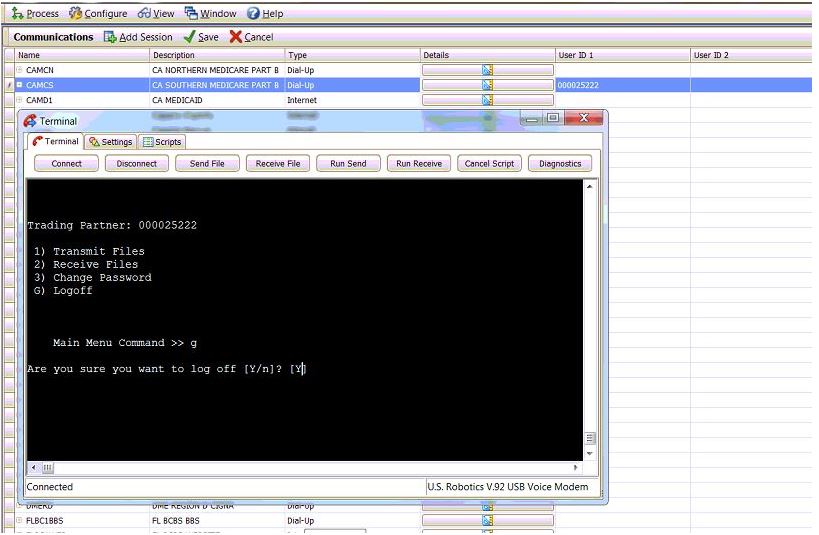
1. Go to Activities then click Revenue Management. From there, click Configure and select Communications. 2. Click the details icon under CAMCS. It will open the terminal window. 3. Click Connect. It will dial Medicare. 4. Enter the user ID on the logon field in the...
by Marie S | Oct 4, 2018 | Uncategorized
Box 1 Type of insurance. The appropriate carrier box is checked, based on the insurance type: Medicare, Medicaid, Tricare, ChampVa, Group, FECA, or Other. This information comes from the insurance carrier edit window, Options tab, Type field. Box 1a Insured’s ID...
by Marie S | Oct 3, 2018 | Uncategorized
-Right click on the bar and click Customize -Click Options on the 3rd tab – Then, enable “Show ToolTips on toolbars” and Close.
by Marie S | Oct 2, 2018 | Uncategorized
Claim Header Band – Includes all information from the top of the CMS form down to box 21 and 23 Transaction Header Band – Not Used Transaction Detail Band – Includes all fields in box 24 Claim Footer Band – Includes everything below the last...
by Anthony V | Oct 1, 2018 | Uncategorized
1.) Click “Ok” on the first message 2.) Click “Yes” on the second message 3.) Click “Cancel” on the third message




Recent Comments